

DNS Setup
Proper DNS configuration is essential for email deliverability. This guide covers all the records you need.
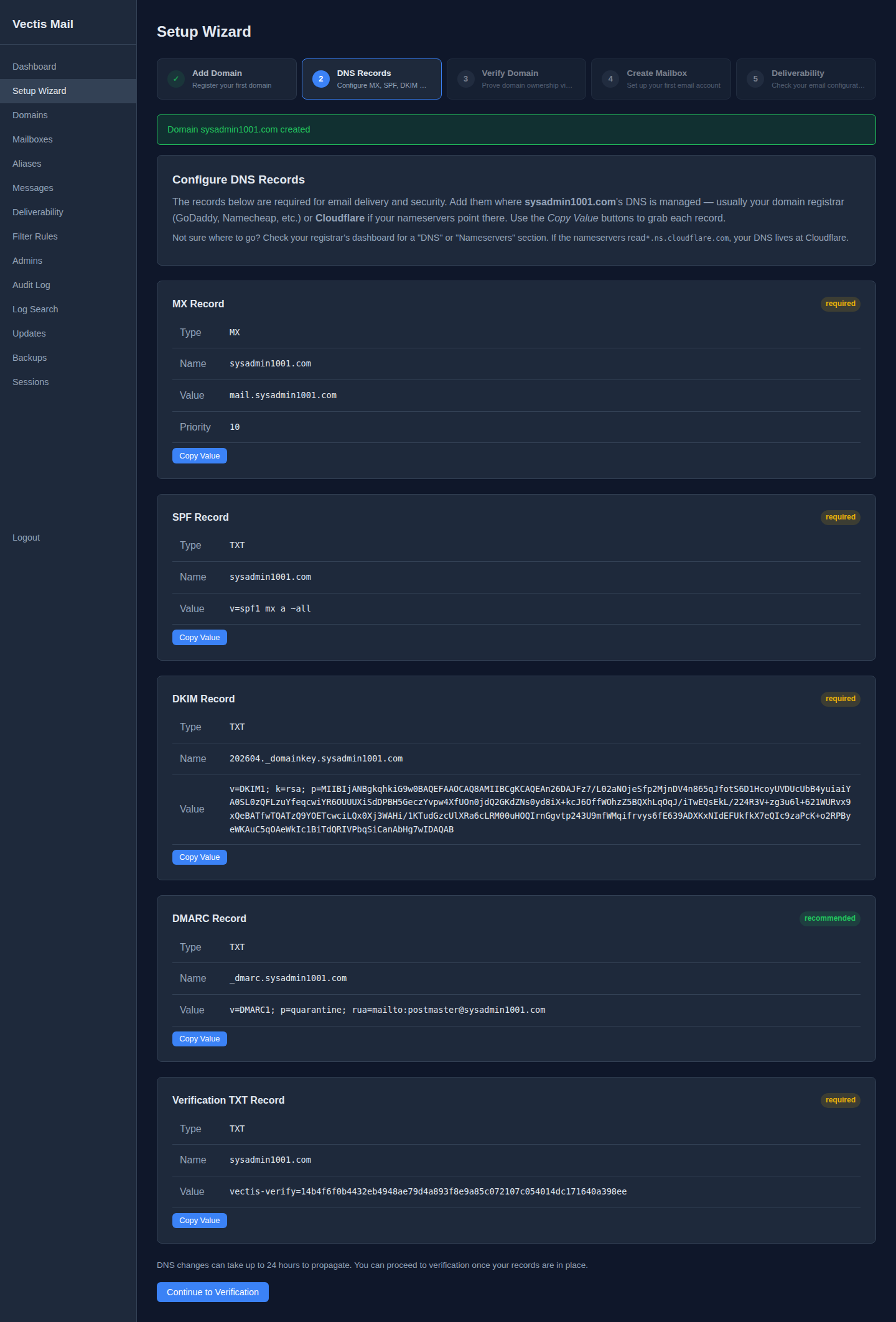
Tip: You usually don’t have to construct these by hand. When you add a domain in the Setup Wizard, Vectis generates every record below pre-filled for your domain, with a Copy Value button on each:
The rest of this page explains what each record does and what the values mean — useful if you’re publishing records manually or debugging deliverability.
Required Records
Section titled “Required Records”For a domain example.com on a server at mail.example.com (203.0.113.10), publish these in order:
- MX record — points your domain at the mail server hostname.
- A record — points the mail server hostname at your VPS’s IPv4.
- PTR record (reverse DNS) — set at your VPS provider, not your registrar.
- SPF record — authorises your mail server’s IP to send for the domain.
- DKIM record — published from the public key the admin UI prints when you add the domain.
- DMARC record — policy + reporting address.
After publishing all records, verify them and address any issues from common pitfalls.
MX Record
Section titled “MX Record”Tells other mail servers where to deliver email for your domain.
example.com. IN MX 10 mail.example.com.A Record
Section titled “A Record”Points your mail hostname to your server’s IP.
mail.example.com. IN A 203.0.113.10If you have IPv6:
mail.example.com. IN AAAA 2001:db8::1PTR Record (Reverse DNS)
Section titled “PTR Record (Reverse DNS)”Maps your IP back to your hostname. Critical for deliverability — many receiving servers reject mail from IPs without matching PTR records.
Set this at your VPS provider (not your DNS provider). The PTR record for 203.0.113.10 should resolve to mail.example.com.
SPF Record
Section titled “SPF Record”Declares which servers are authorised to send email for your domain.
example.com. IN TXT "v=spf1 a mx ip4:203.0.113.10 -all"a— allows the domain’s A record IPmx— allows the domain’s MX server IPsip4:203.0.113.10— explicitly allows your server IP-all— reject all other senders (use~allfor soft-fail during testing)
DKIM Record
Section titled “DKIM Record”Vectis automatically generates a DKIM key pair when you add a domain. The DNS record is shown in the dashboard under Domains → DKIM.
default._domainkey.example.com. IN TXT "v=DKIM1; k=rsa; p=MIGfMA0GCSqGSI..."The selector is default by default. The full public key is provided by Vectis — copy it exactly.
DMARC Record
Section titled “DMARC Record”Tells receiving servers what to do with email that fails SPF/DKIM checks.
_dmarc.example.com. IN TXT "v=DMARC1; p=quarantine; rua=mailto:[email protected]; pct=100"p=quarantine— failed messages go to spam (usep=noneduring testing,p=rejectfor strict enforcement)rua=mailto:[email protected]— aggregate reports sent here
Verification
Section titled “Verification”After adding all records, use the Vectis deliverability checker:
# Via CLIvectis domain check example.com
# Via APIcurl https://your-hostname/api/v1/domains/DOMAIN_ID/deliverability \  -H "Authorization: Bearer YOUR_TOKEN"
Or check in the dashboard under Deliverability — it shows a green/yellow/red status for each DNS record.
Common Issues
Section titled “Common Issues”| Problem | Cause | Fix |
|---|---|---|
| SPF soft-fail | Missing server IP in SPF record | Add ip4:YOUR_IP to the SPF TXT record |
| DKIM fail | Wrong selector or truncated key | Copy the full key from the Vectis dashboard |
| No PTR record | Reverse DNS not set at VPS provider | Set PTR at your hosting provider’s control panel |
| DMARC none | Policy too permissive | Change p=none to p=quarantine after testing |
Next Steps
Section titled “Next Steps” Written by Ian Holt
New self-hosting guides, in your inbox
Occasional email when we publish a new guide or ship a release. No spam, unsubscribe anytime.